
NanoTorrentA tiny, hackable
BitTorrent client
NanoTorrent is a pure-Rust port of PicoTorrent — the same lean application, rebuilt without a single C++ dependency, now on Windows, macOS and Linux. One Slint window everywhere, dark mode, a built-in web remote, and it reads your existing PicoTorrent settings on first run.
Windows installer Microsoft Store macOS disk image Debian / Ubuntu .deb Fedora / RHEL .rpm Linux AppImage
One window, three platforms
The desktop client is drawn by Slint, so Windows, macOS and Linux get the same window rather than three approximations of it — and the web interface it ships with follows the same theme and the same language.
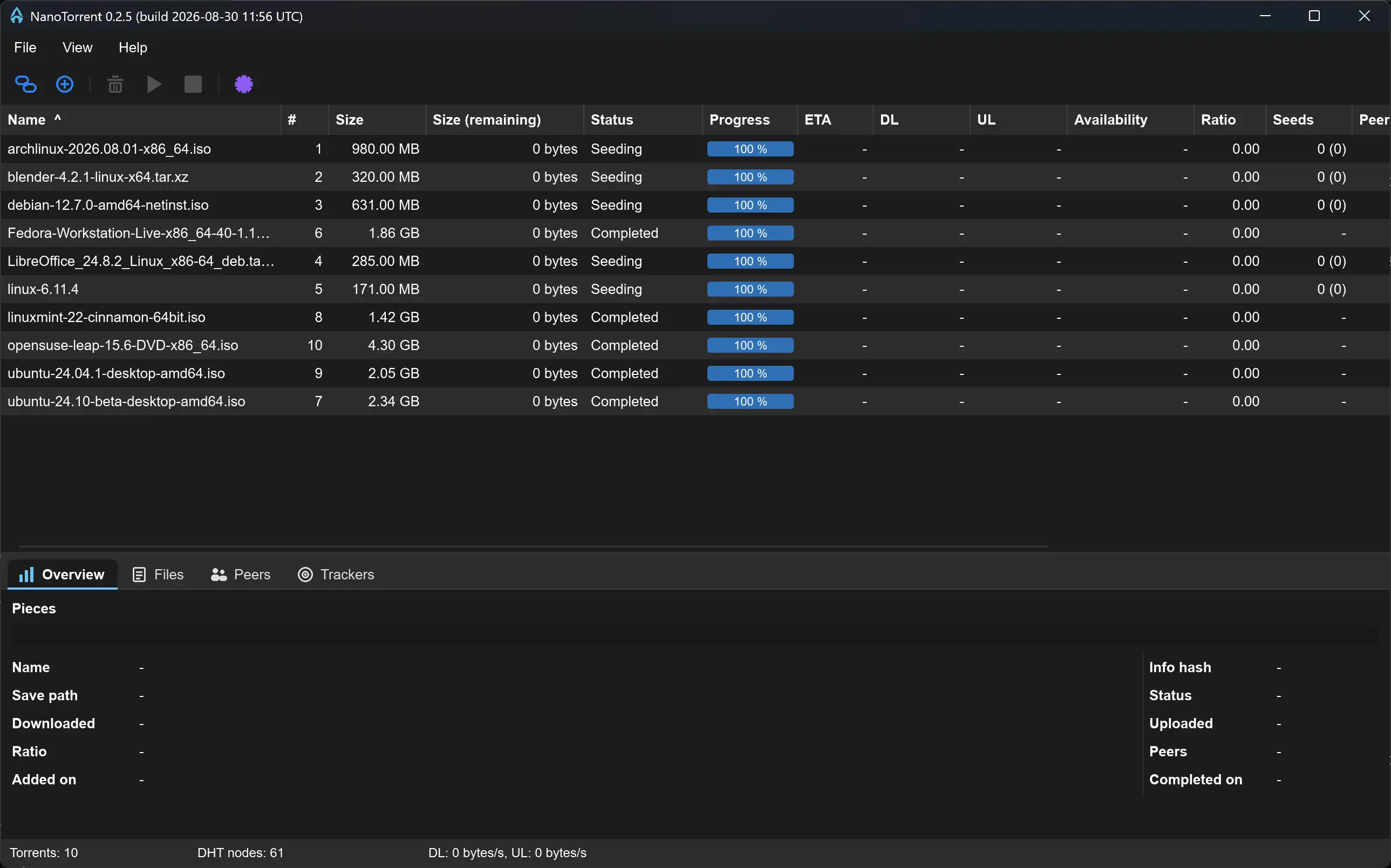
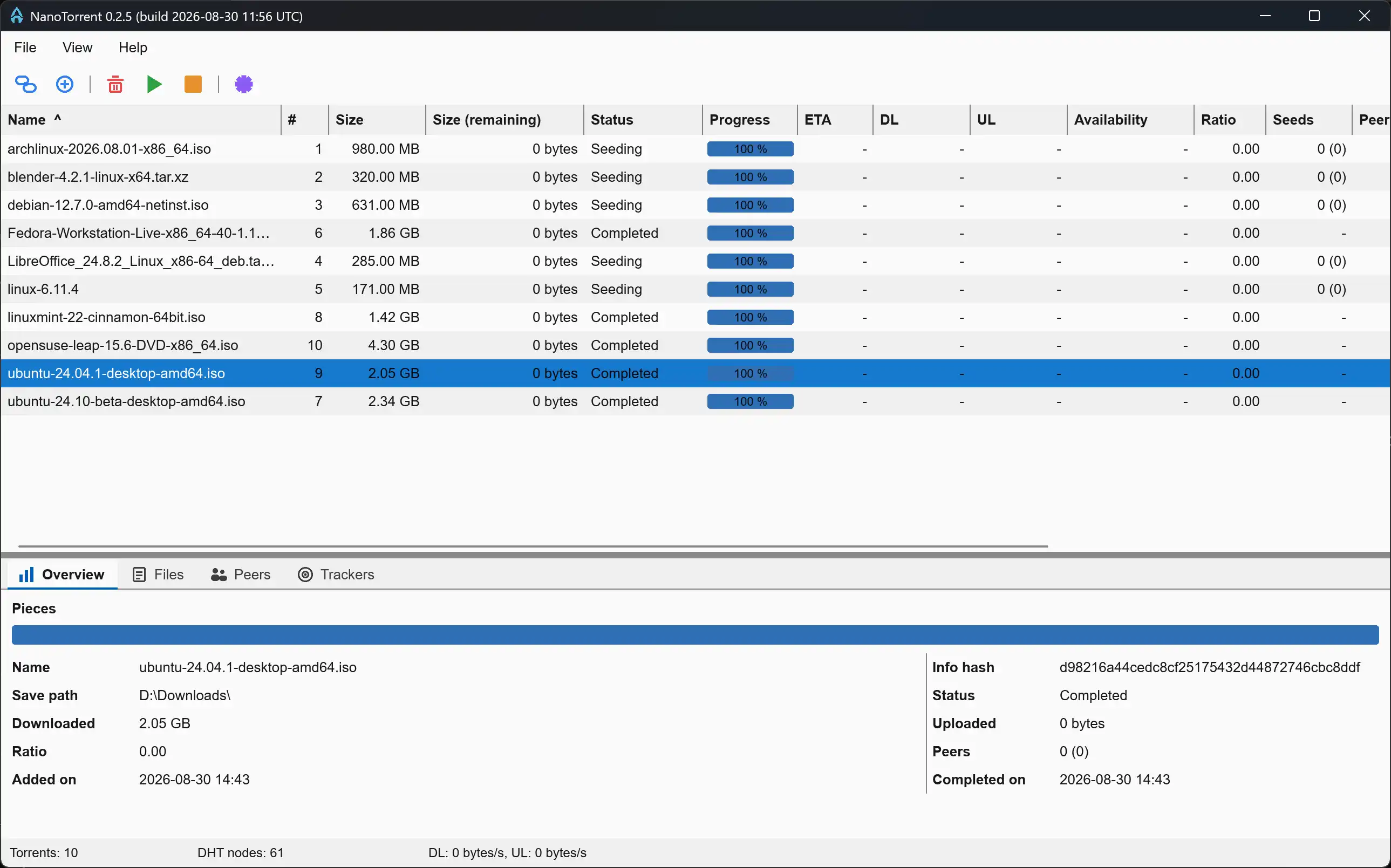
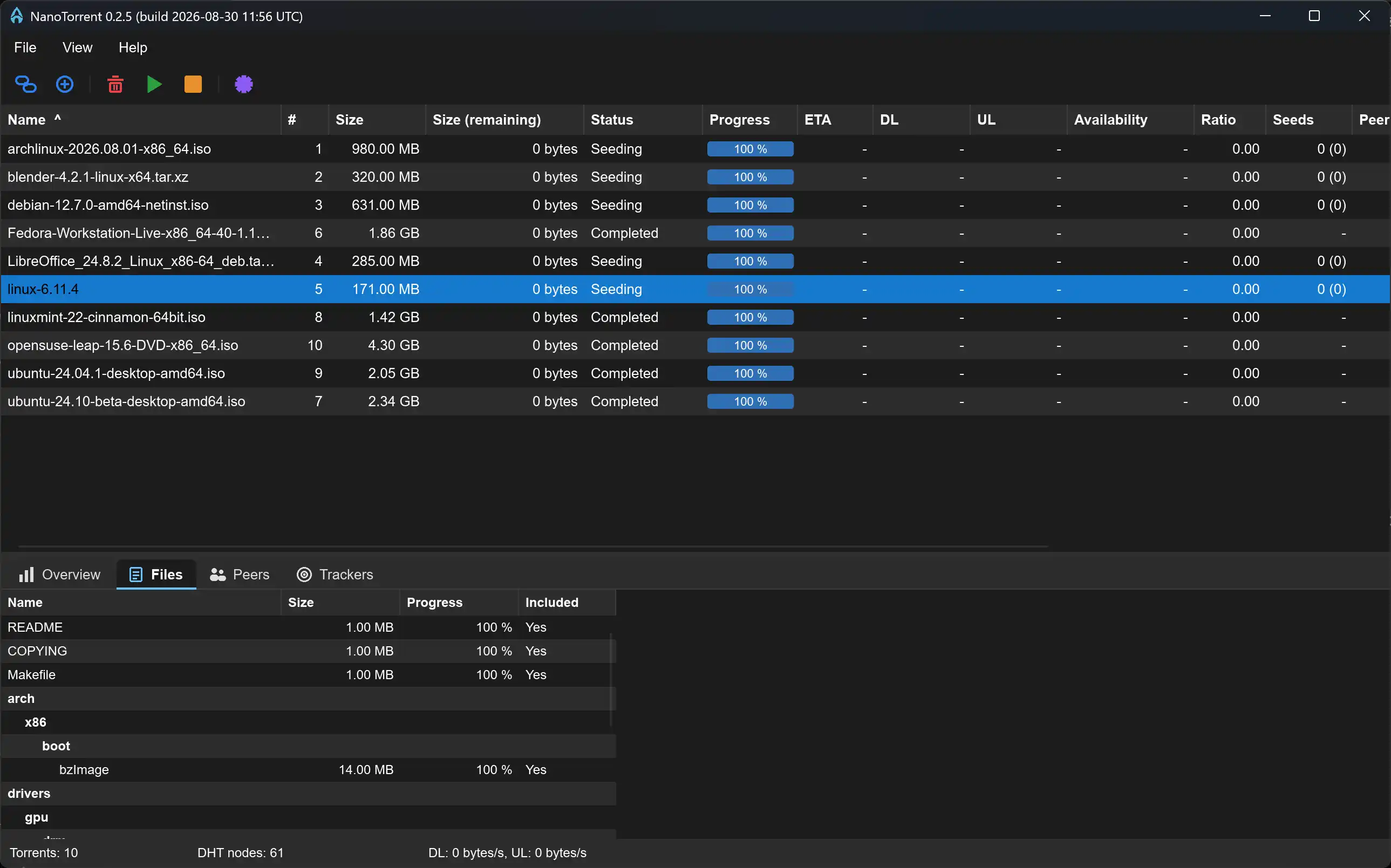
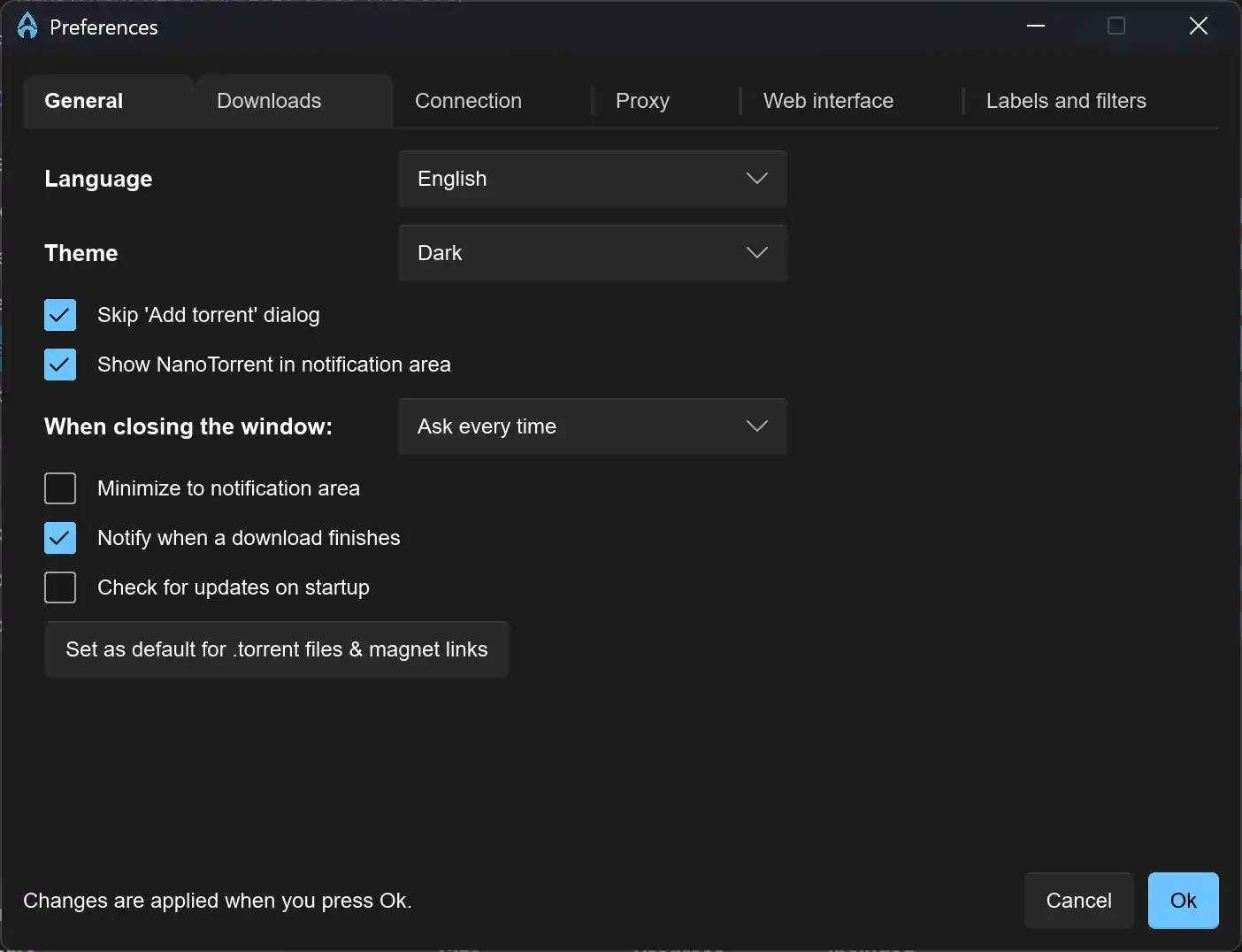
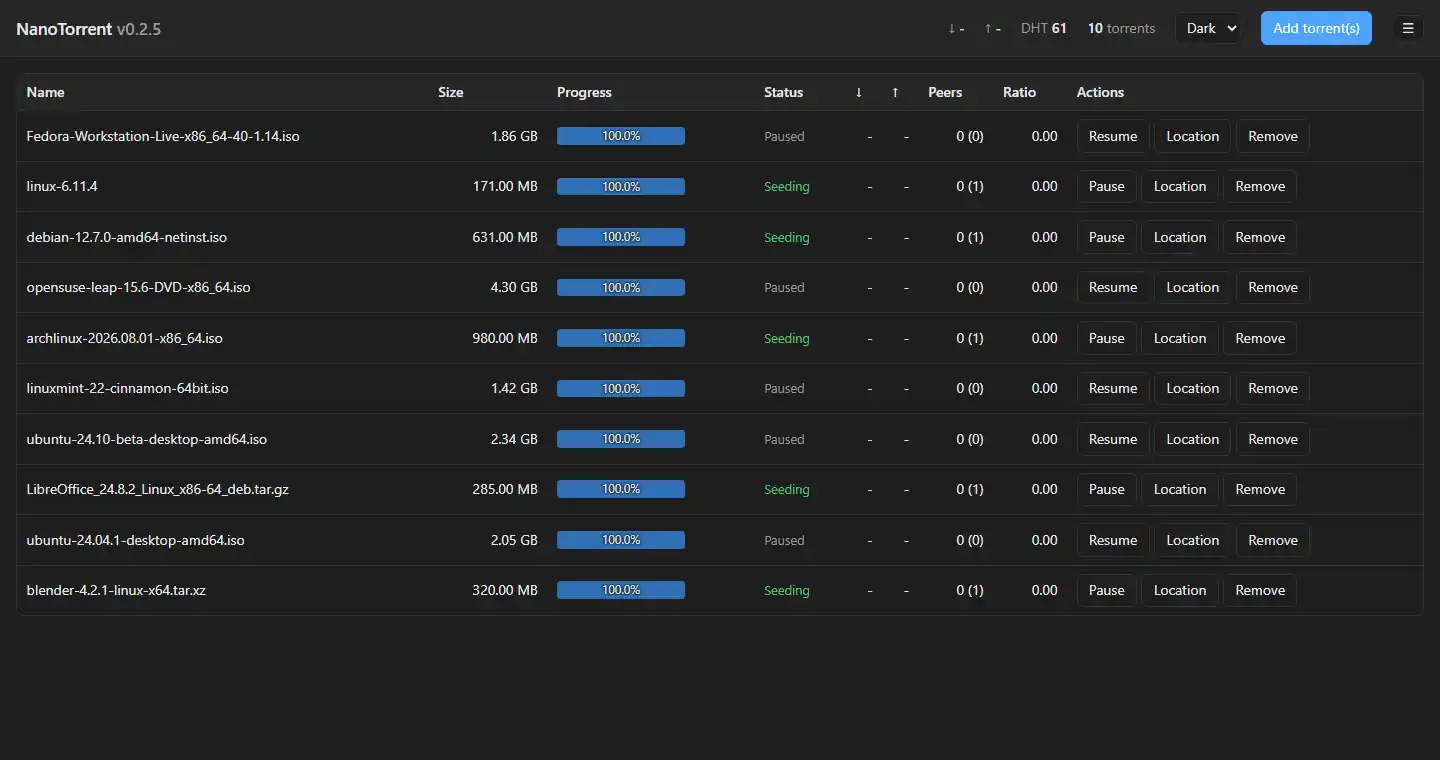
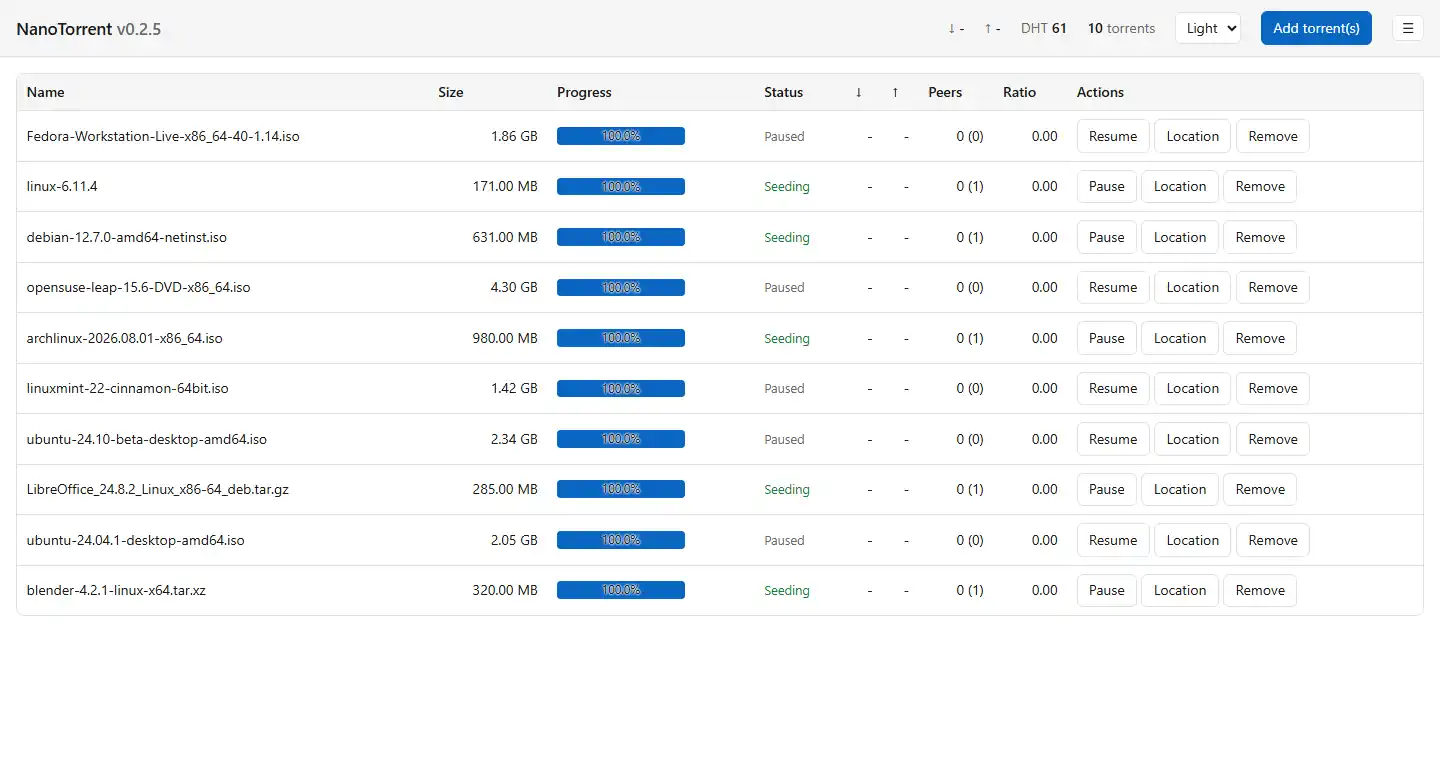
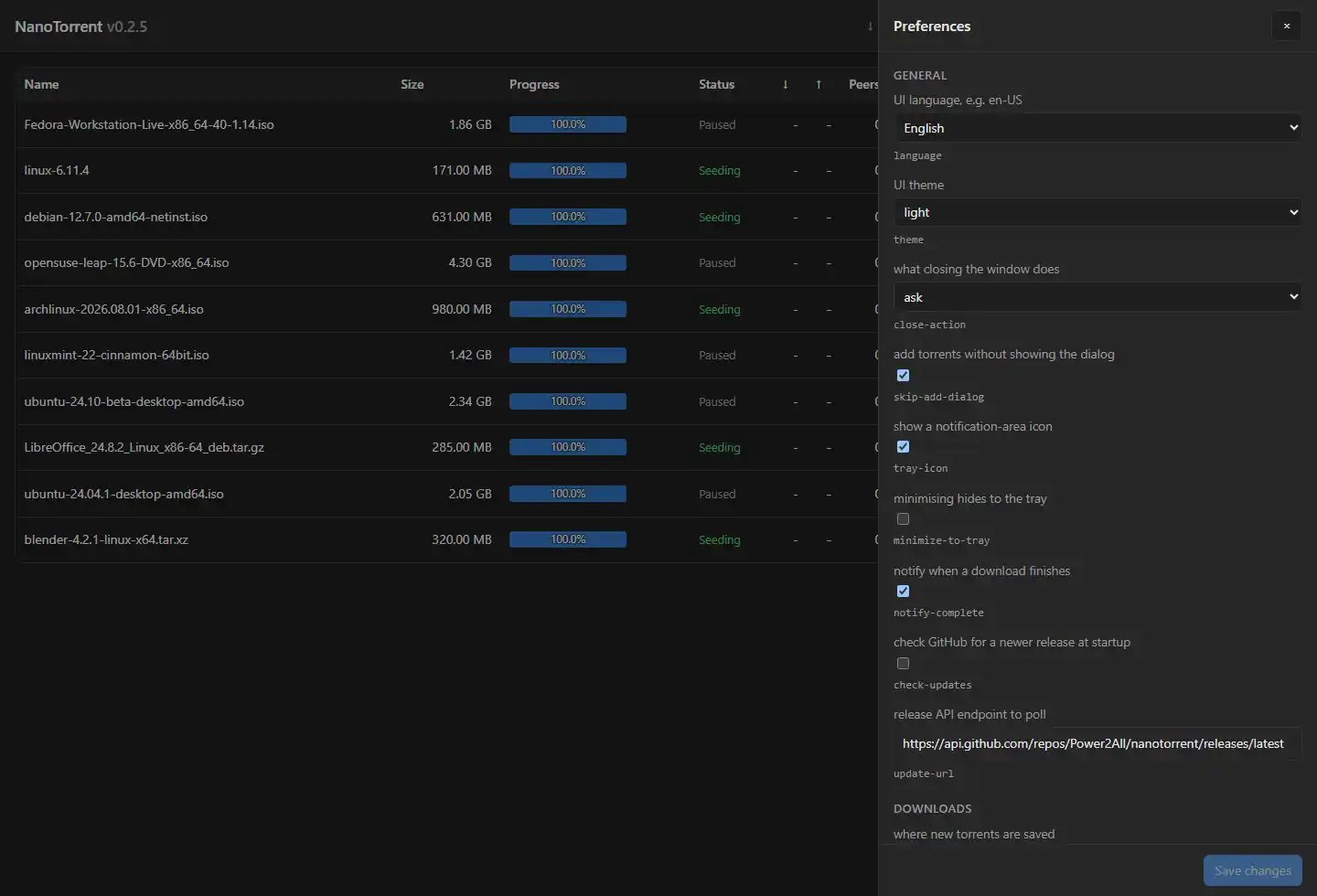
The torrents shown are Linux distribution images, used as sample data.
What’s new
Straight from the release on GitHub, so this page cannot fall behind the code.
The notes for the current release live on the releases page.
Everything the original did — and then some
The full PicoTorrent feature set, ported across: settings database, translations, layout and all. Plus three things it never had — three platforms, a web interface, and plugins.
Windows, macOS and Linux
One window and one codebase on all three, drawn by Slint. Ships as an installer, a .dmg, .deb and .rpm packages, an AppImage that needs no install, and on the Microsoft Store.
Built-in web interface
An Actix server over HTTPS — Argon2id hashing, a per-address lockout, and it refuses to listen off-loopback in plaintext. State arrives as a server-sent event stream, not four polls a second. It carries the desktop’s toolbar, charts, file trees and every preference the dialog has, in your language.
Watch it before it finishes
A Play button in the Files tab serves byte ranges out of a file that is still downloading, seekable — the reader blocks on the piece under the read head and the engine fetches it. The URL carries a token good for one file for half an hour, never your password.
Headless, and scriptable
Build with --no-default-features for no window at all, driven entirely from the browser. Every preference the dialog offers is settable without one: --list-settings, --get, --set.
Plugins, on a leash
Optional Rhai scripts, off by default. Eleven permissions declared in a one-line header read before the script runs, so a plugin gets an engine holding only what was approved and reaching past it fails with “function not found”. An RSS auto-downloader and a media-player launcher ship as examples. Write one ▸
BitTorrent v2, not just the checkbox
v2-only .torrent files and v2-only magnets both download and seed, verified against their merkle piece hashes. No librqbit release implements BEP 52, so it is written here: the piece layers a magnet cannot carry are fetched with the v2 hash messages and checked against each file’s pieces root first. Hybrids announce under both info hashes at once.
The protocol, spelled out
Eighteen BEPs, fifteen in full: DHT, metadata exchange, PeX, multitracker tiers, UDP trackers, the fast extension, padding files and more. MSE/PE encryption both ways, µTP (BEP 29) for where TCP is throttled, and local discovery (BEP 14). Web seeds (BEP 19 and 17) arrive as synthetic peers, so their pieces are hash-checked exactly like a real peer’s.
Queues, limits and labels
Stop seeding at a ratio, a time, or whichever comes first, then pause or remove — global, overridable per torrent, off by default. Alternative speed limits on a schedule, with a turtle to force them. Queue order from the toolbar, per-file priorities, tags, coloured labels, and the PQL filter subset.
Where the files go
Watched folders that rename a .torrent aside rather than delete it, a separate incomplete folder, Move storage to relocate the files and Set location to relocate the torrent, and a low-disk guard that pauses everything below a percentage of the volume.
The list, and the details
Sixteen sortable columns with a rendered progress bar, multi-select, and widths remembered per list. Below it: a piece-availability bar, a folding file tree with per-type icons, include toggles and priorities, peers with GeoIP country and flag, and editable announce tiers. Two live speed charts in the toolbar, and native notifications on completion.
Adding, and creating
Magnet links fetch their metadata first, then show the real file list in the same dialog a .torrent gets — pick your files before it starts. Creating one does v1, v2 or hybrid, with trackers, comment and the private flag.
Strict network mode
Stop rather than leak. It switches off whatever your VPN interface or SOCKS proxy cannot cover — DHT, uTP, local discovery, UPnP — refuses to start if the named interface is missing, and pauses every torrent if it disappears. It is not a firewall: it stops this client talking around the tunnel, nothing else on the machine. Beside it: DB-IP country lookup and eMule / PeerGuardian blocklists.
An encrypted settings file
The whole database, in pure Rust, with the key in DPAPI on Windows and a 0600 file elsewhere — no password to type, and a change made outside NanoTorrent is detected rather than accepted. Preferences ▸ OK rebuilds the session live, so rate limits, DHT, encryption and the proxy take effect without a restart.
Bring your setup along
On Windows, first run copies your existing %LOCALAPPDATA%\PicoTorrent folder, leaving the original untouched. File ▸ Import from PicoTorrent then brings every torrent across with its save path and label, and reports what arrived, what was already there and what failed.
Every translation
All 76 languages, complete — every string the UI can show, and a translated --help to go with it. Compiled into the executable, listed by their native names, switchable live without a restart.
One file, no baggage
Languages, 252 country flags and the web interface are all embedded at build time, so the binary ships standalone. Builds are reproducible too: two builds of the same source are byte-identical.
Same job, three foundations
NanoTorrent against the client it is a port of, and against the one most people actually use. qBittorrent ships in two flavours — a libtorrent 1.2 build that speaks BitTorrent v1, and a libtorrent 2.0 build that adds v2 — so both are named wherever the answer differs between them.
| Aspect | PicoTorrent (C++) | qBittorrent (C++ / Qt) | NanoTorrent (Rust) |
|---|---|---|---|
| Platforms | Windows | Windows, macOS, Linux, FreeBSD | Windows, macOS, Linux — plus a headless build |
| BitTorrent engine | Rasterbar-libtorrent | libtorrent-rasterbar, shipped as both a 1.2 and a 2.0 build | librqbit 9.0.1, vendored and patched |
| BitTorrent v2 | — | Complete on the 2.0 build — v2-only torrents and btmh magnets included. The 1.2 build has none of it, and loads a hybrid as its v1 half | Every build, with no second download to pick. Hybrids announce in both swarms |
| GUI | wxWidgets (native Win32) | Qt | Slint — one window on all three, dark mode included |
| Remote control | — | WebUI and a Web API, polled on an interval | Actix over HTTPS with the desktop’s toolbar, charts and file trees, pushed as a server-sent event stream |
| Extensibility | — | Python search plugins | Rhai plugins with eleven declared, enforced permissions — network, storage, a window of their own, and starting a program |
| Leak protection | — | Interface binding and a proxy, honoured wherever the engine can | Strict network mode — refuses to start if the interface is missing, and pauses everything if it disappears |
| Settings storage | SQLite (PicoTorrent.sqlite) | .conf files, plus a .fastresume per torrent | The same SQLite schema, optionally encrypted, and exportable as JSON |
| Translations | lang/*.json embedded in a DB | Around 70, community-translated | 76, complete, compiled into the exe and switchable live |
| Command line | Torrent and magnet arguments | qbittorrent-nox, driven by the Web API | Every preference settable — and --help in all 76 languages |
| Notifications | Tray balloons | Native, per platform | Native on all three, plus in-app toasts |
| Packaging | NSIS installer | Installer, .dmg, distro packages, Flatpak | .exe · .dmg · .deb · .rpm · AppImage · Microsoft Store |
| Streaming while downloading | — | — | Byte ranges out of an unfinished file, seekable, behind a per-file token |
| Build requirements | MSVC and a C++ dependency tree | Qt, Boost and libtorrent | Rust 1.85+ · cargo build --release, and byte-for-byte reproducible |
Built on PicoTorrent
NanoTorrent is a port, not a rewrite from scratch. It owes its application structure, its settings database schema, its dialogs and its whole design philosophy to PicoTorrent — the excellent, deliberately small Windows BitTorrent client by Viktor Elofsson and contributors.
PicoTorrent is still available and still worth your time. If you're happy with it, keep using it — NanoTorrent exists for people who want the same experience on a memory-safe, C++-free stack.
This port is built predominantly with AI assistance under human review — see the AI declaration.
Visit PicoTorrentlibtorrent
librqbit
Where the edges still are
One real gap is left — two of the three were closed in 0.4.2. The rest of what used to be listed here is the operating system’s own behaviour, which no code in a torrent client would change, so it is labelled as such rather than dressed up as a bug.
Known gap Real and fixable. We intend to close it.
.torrent. Two smaller symptoms sit behind it: leaf-layer hash requests are refused rather than computed, and a v2-only magnet’s layers are held by the resolver rather than installed. The blocker is verification rather than code — the wire format matches libtorrent byte for byte and the merkle arithmetic is checked both directions, but there is no live v2 swarm left to test against.
Platform behaviour The OS does this. No code here would change it.
org.freedesktop.Notifications service. No daemon means nothing to talk to, and a client cannot supply one — a headless box or a bare window manager gets a warning in the log and carries on.
Not a gap — an invitation The one thing we would genuinely like help with.
lang/ folder next to the executable also overrides a locale without a rebuild, if you would rather just fix it locally.
Give it a spin
Windows, macOS or Linux — an installer or a package each, plus an AppImage that needs neither and a Microsoft Store listing that keeps itself up to date. Your PicoTorrent setup comes with you, and the Discord is there if you get stuck.